Firmware, not a gadget. Nothing here is for sale.
4 MB.
That is smaller than one photo.
It runs an entire learning console.
Braino! is open-source firmware for the ESP32 CYD, the Cheap Yellow Display: an ESP32 already soldered to a touchscreen. 40 games — handwriting, flags, maths, the periodic table, chess across the room. No ads, no accounts, no cloud.
You buy the board from whoever you like — we sell nothing and take nothing — and flash this onto it for free. The whole thing is GPL-3.0: read it, change it, build your own from it.
Three sizes.
Any colour you can print.
2.8, 3.2 and 4 inch, shown at their true relative sizes — the case footprints are measured from the printable meshes in this repository, so the 4-inch really is a third wider than the 2.8-inch. Every screen is the firmware's own.
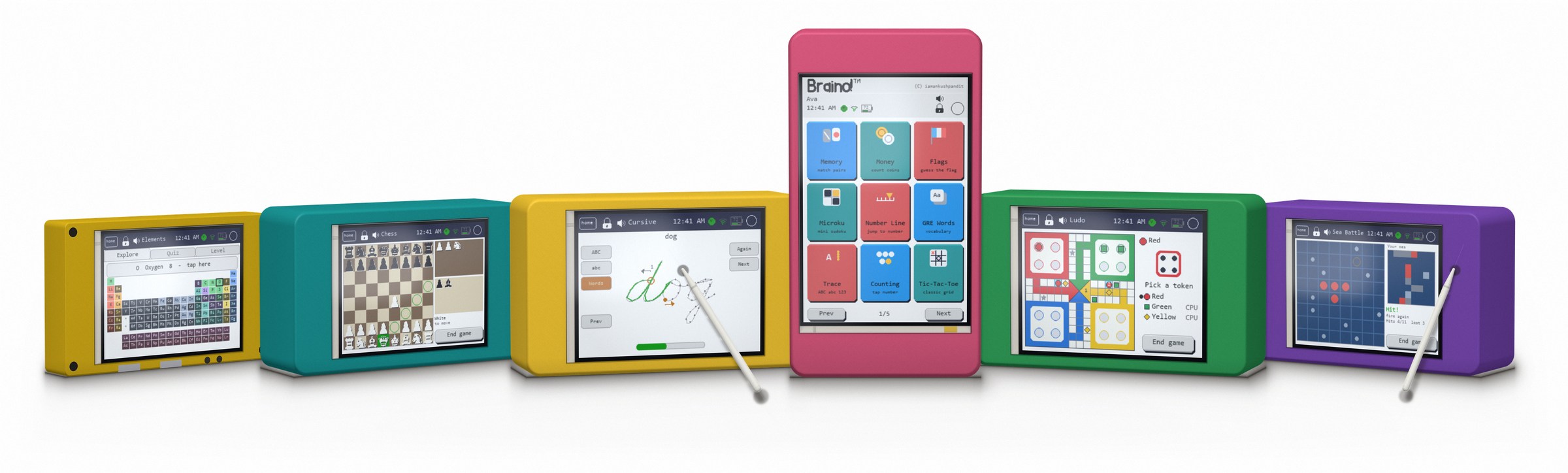
This is not an advertisement. None of these is a product and none of them is for sale — not by us and not by anyone. They are ordinary ESP32 CYD boards anybody can buy for a few dollars, in cases anybody can print, running free software. The picture is here to show you what you would end up with, not to sell you one.
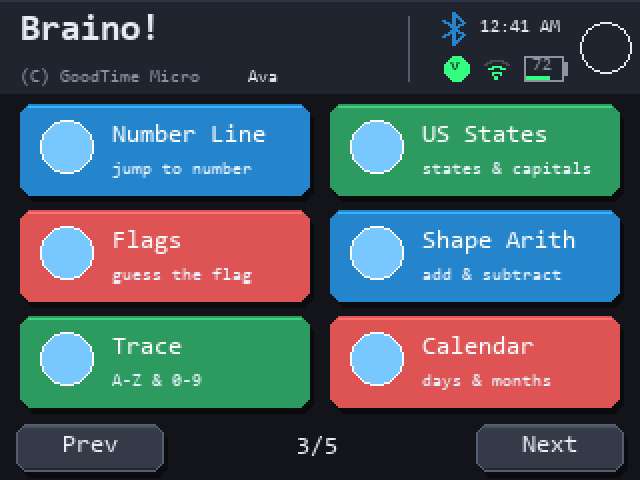
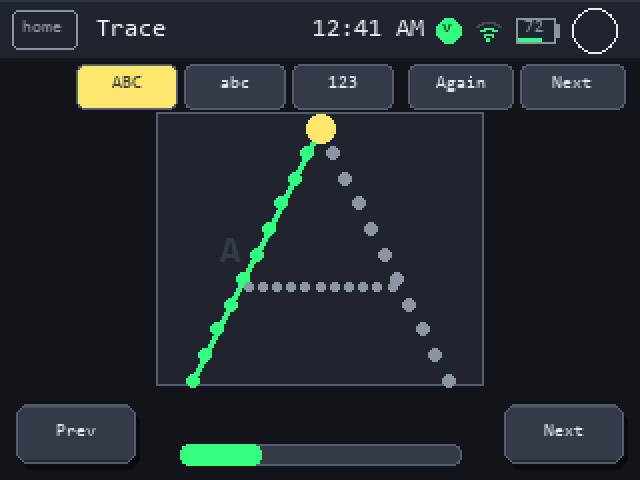
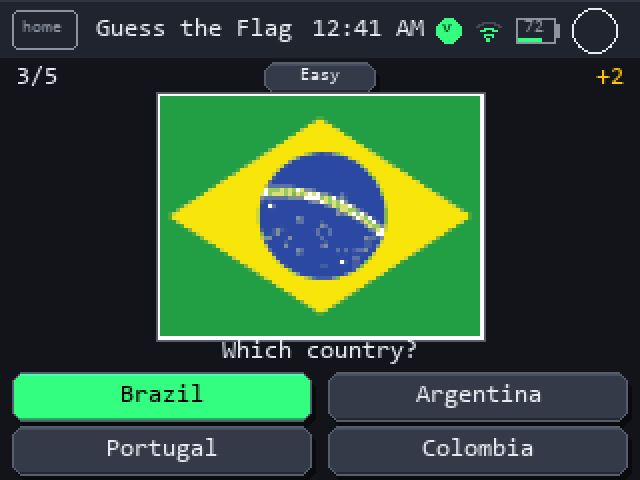
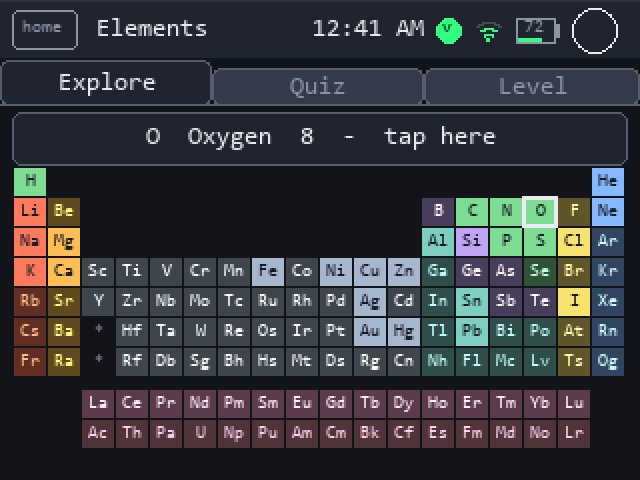
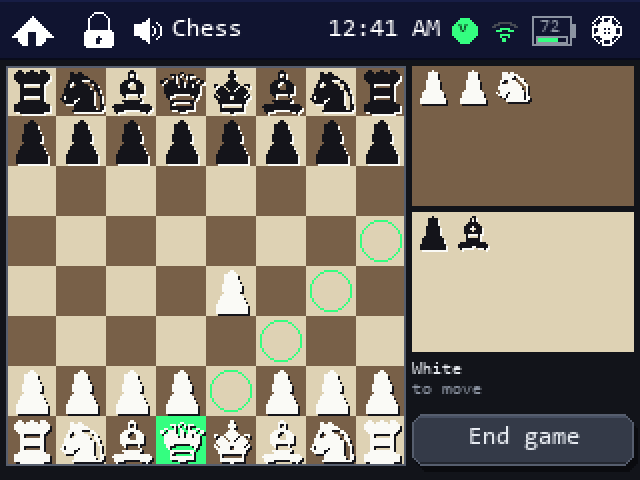
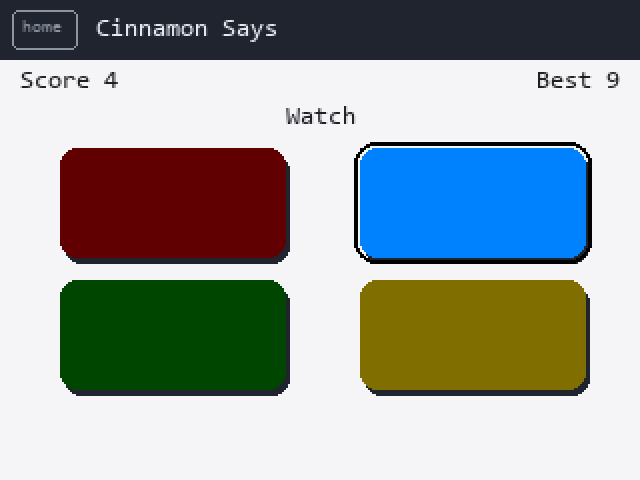
Mock-ups, not photographs: they are redrawn on a PC from the exact rectangles, fonts and colours in the C++ source, because the board does not wire the panel's MISO line and a true screenshot is not possible. The flag artwork is the real pixel data the device draws from.
It is firmware,
not a gadget.
Nothing to buy from us — you buy the board from whoever you like. Get started compares the boards Braino runs on; plug one into a computer and install it from this page in about a minute.
- 2.8-inch boards, resistive or capacitive touch
- 3.2-inch boards, resistive touch
- 4-inch boards, resistive touch
One firmware. You pick the board when you flash.
It runs on the bare board exactly as it is — no case, no battery, nothing to print. The case is there if you want one.
Three boards, three of the nine themes. Board artwork by LCDWIKI; the screens are Braino's own.

Learning that
looks like play.
First letters to the periodic table to brain training. Flags, US states and elements use spaced repetition, so a missed item comes back sooner and a mastered one fades into the background. Difficulty adapts as a player improves.
Games, not lessons. That is the whole trick.
An administrator
curates the games.
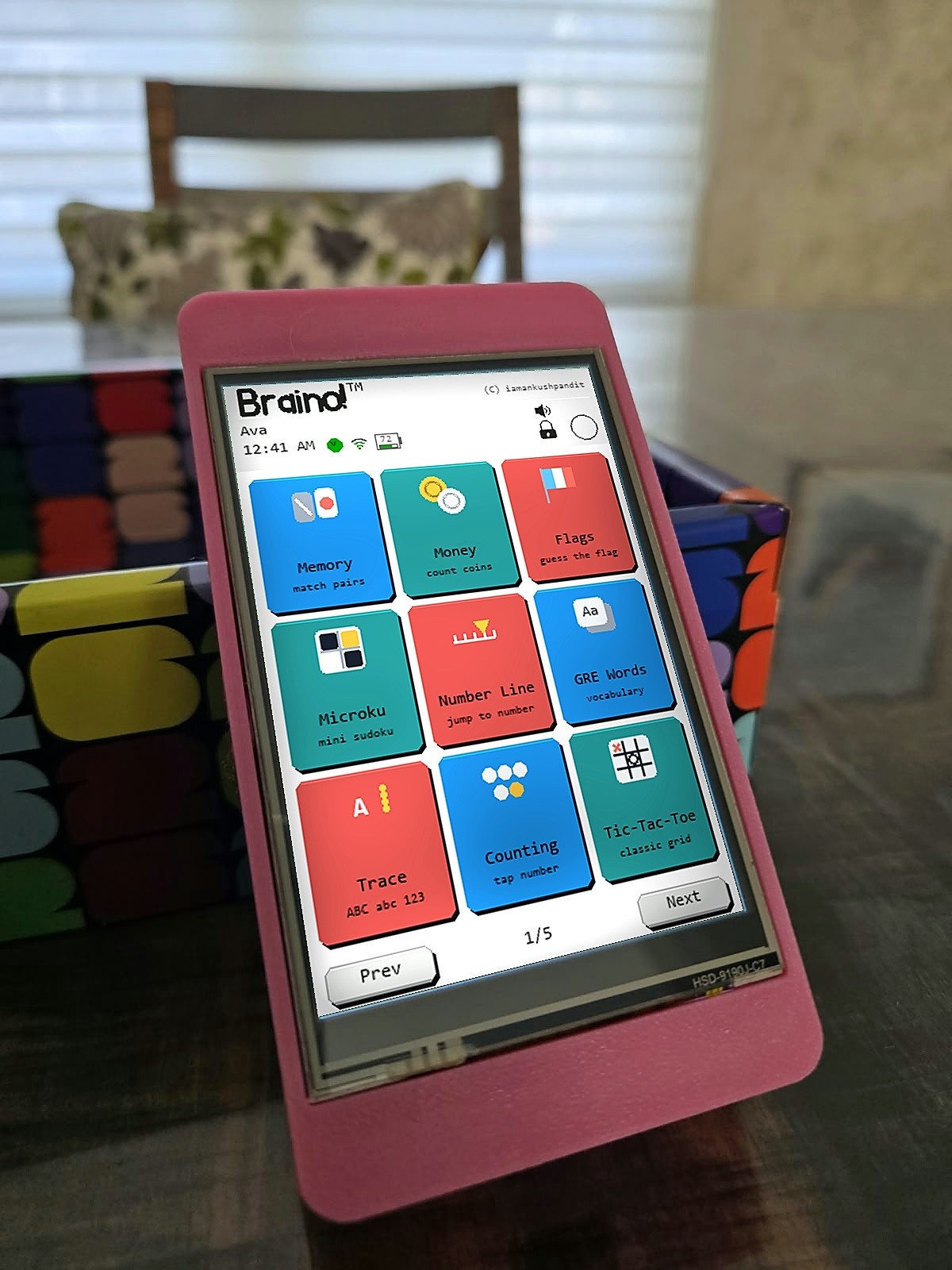
Up to five player profiles plus a Guest that saves nothing. The administrator chooses which games each player sees, so one console can be a different console for every player. Settings are readable by anyone and changeable only by the administrator, behind a PIN.
No ads. No accounts. No feed. Nothing to scroll.
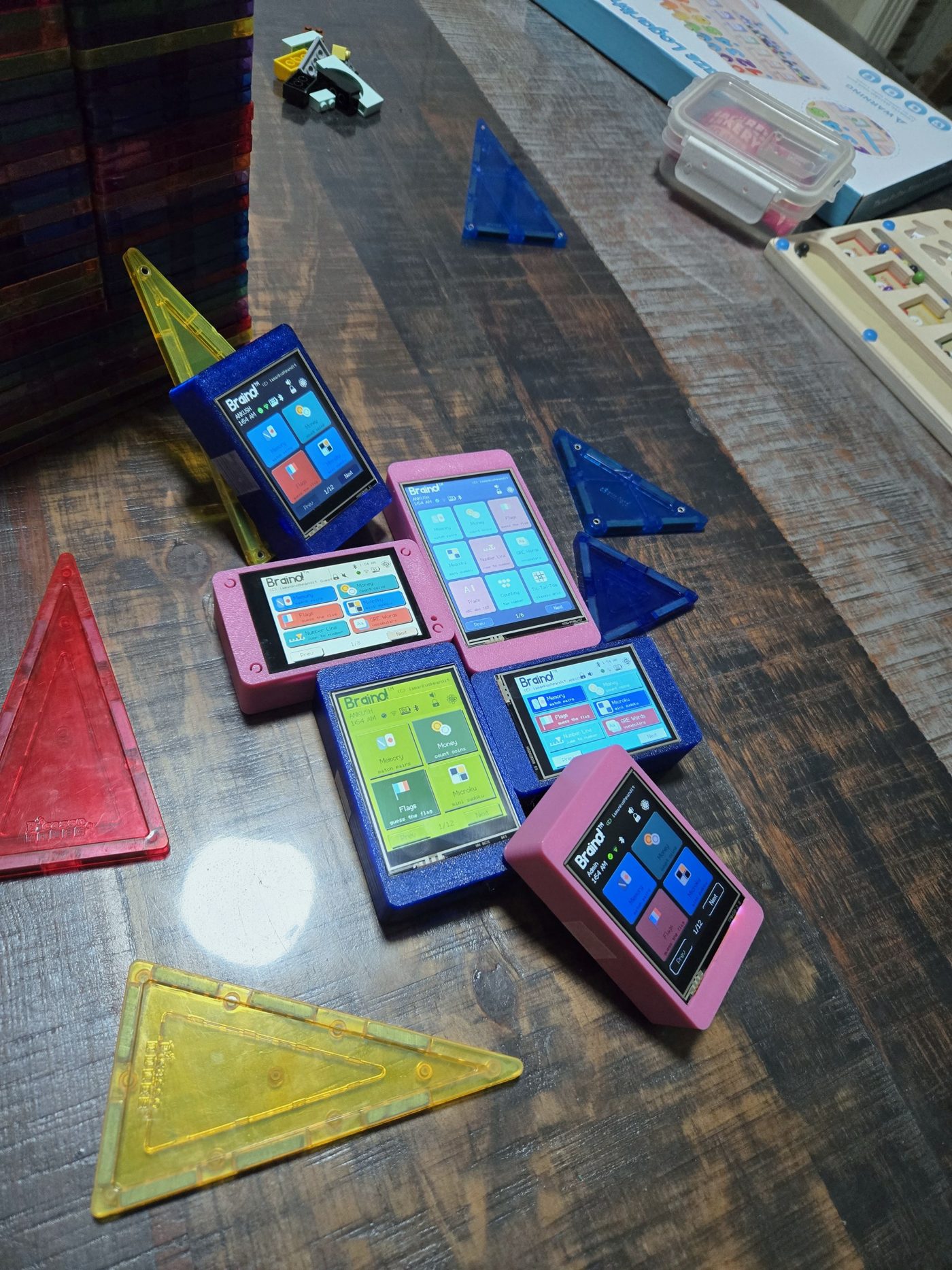
They find
each other.
Chess, Sea Battle and Backgammon for two, Ludo for four, across consoles in the same room over Bluetooth Low Energy. It is a beacon, not pairing: no phone in the middle, no internet. The beacon is off by default, and only an administrator turns it on.
Dice are never sent. Every console rolls for itself, and checks every move it hears against its own board.
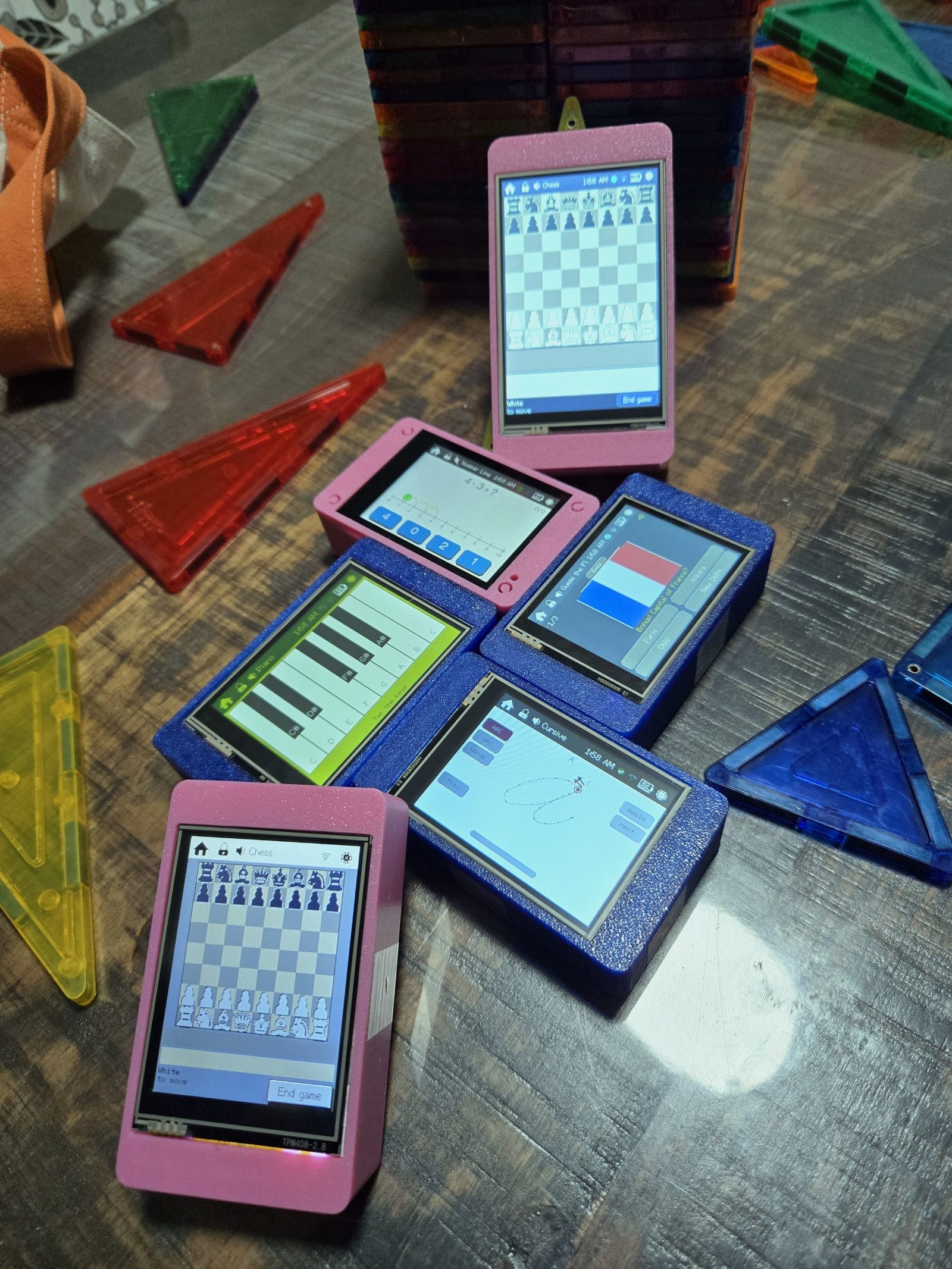
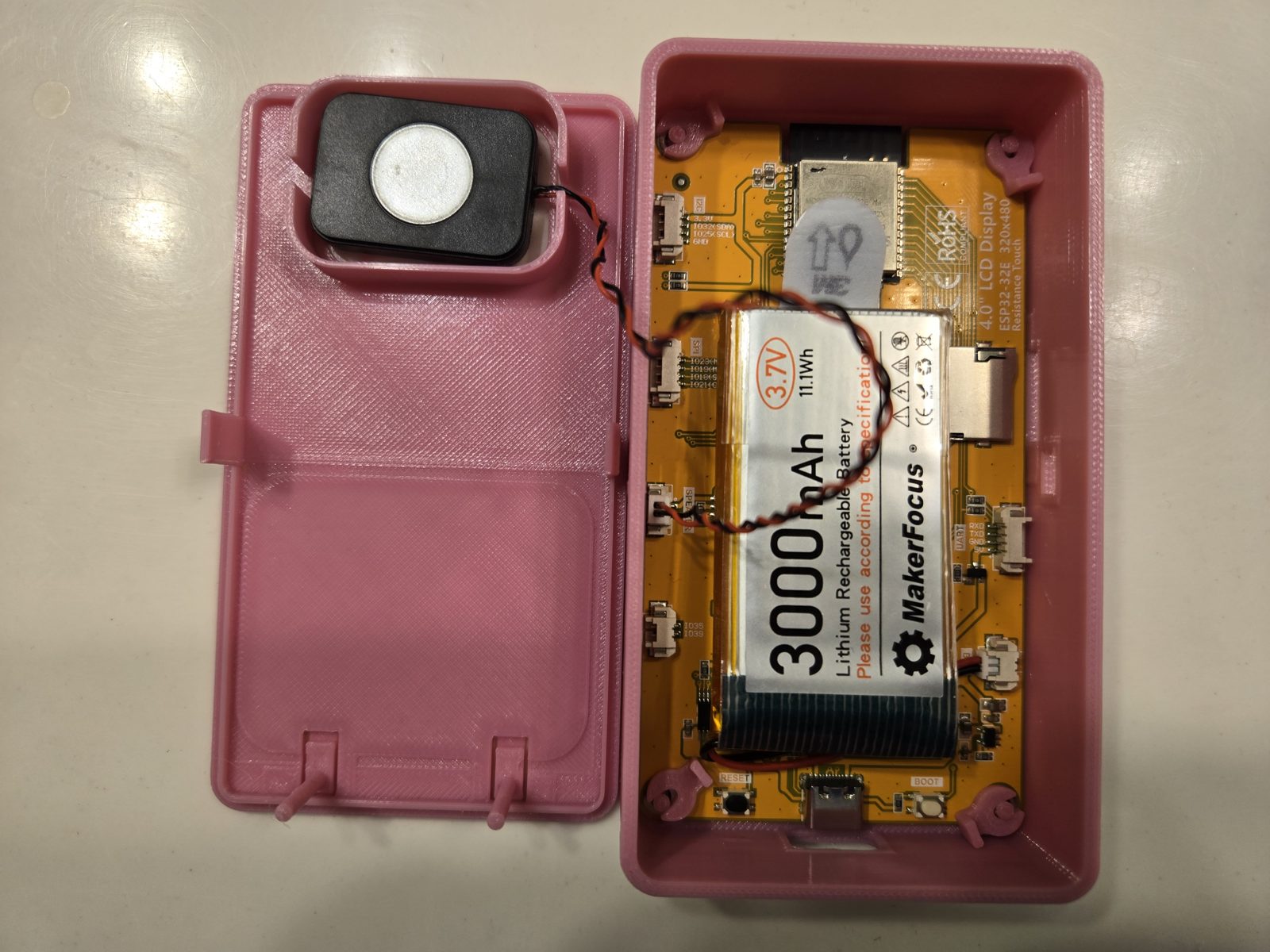
The case is
in the repo.
Prints without supports, no screws, the lid snaps on. Room inside for a 3000 mAh battery and a small speaker. The lid carries the speaker grille, the embossed mark and slots that reach the BOOT and RESET buttons.
Pink is the house colour. Print yours in anything.
Get started.
Three steps, no soldering.
Braino runs on a CYD — a “Cheap Yellow Display”: a touchscreen with a small computer, an ESP32, already built onto the back of it. You buy the board, then install Braino onto it from this page. There is nothing to solder, wire or assemble.
- Get a board.Pick one from the table below. Not sure? Get the 4-inch Hosyond: the biggest screen of the five.
- Plug it into a computer.Use a USB-C cable that carries data — a charge-only cable looks identical and does nothing. Windows, Mac, Linux or a Chromebook all work.
- Press Install.Open the Install tab in Chrome or Edge, pick the same board, and wait about a minute. Phones and tablets cannot install it.
Which board to buy
Not sponsored. These are the exact listings the maintainer bought and runs Braino on. They are plain links — no affiliate code, no payment for placement, and nobody here earns anything if you buy. The same board from any other seller works just as well.
4″
Recommended
Hosyond 4-inch ESP32 display
The biggest screen of the five: 480 by 320, exactly twice the pixels of the 2.8-inch boards, so it is the easiest to read and to tap.
In the installer: E32R40T / ESP32-32E
See it on AmazonPair it with — both optional:
| Screen | Board | Touch | USB | Good to know | In the installer | Listing |
|---|---|---|---|---|---|---|
| 4″ | Hosyond 4-inch ESP32 display | resistive | one USB-C | The biggest screen, 480 by 320; speaker socket | E32R40T / ESP32-32E | Amazon |
| 3.2″ | Hosyond 3.2-inch ESP32 display | resistive | one USB-C | Battery and speaker sockets | E32R32P / ESP32-32E | Amazon |
| 2.8″ | Hosyond 2.8-inch ESP32 display | resistive | one USB-C | Battery and speaker sockets | E32R28T-1 / ESP32-32E | Amazon |
| 2.8″ | ESP32-2432S028R, the classic CYD (two-pack) | resistive | USB-C plus micro-USB | No battery socket, runs on USB power; speaker socket | ESP32-2432S028 CYD, inverted panel | Amazon |
| 2.8″ | Freenove ESP32-S3 CYD, 2.8-inch | capacitive | one USB-C | Touch that works like a phone's; ESP32-S3 chip | Freenove FNK0104B / LCDWIKI ES3C28P, ESP32-S3 | Amazon |
Resistive or capacitive? A resistive screen responds to a press — a fingertip, or the stylus that usually comes in the box. A capacitive screen responds to a light touch, like a phone. The two 2.8-inch resistive boards look alike: the classic CYD has a second, micro-USB socket, and it is the one with no battery socket.
Sellers sometimes change what they ship under a listing. If your board looks different from the pictures, check the model printed on its back against the list in the Install tab: the wrong firmware gives a blank or wrongly coloured screen rather than an error.
Nice to have, never required
A small speaker
For sound. Most of these boards have a two-pin 1.25 mm speaker socket; without a speaker Braino simply plays silently. Either of these works: 1 W, 8 Ω or 3 W, 4 Ω — also not sponsored.
A case
Prints without supports and needs no screws. The files for the 2.8, 3.2 and 4-inch boards are in the repository, so anyone with a 3D printer can make one. The case files
A battery
Boards with a battery socket take a single-cell 3.7 V lithium battery with a two-pin 1.25 mm plug, and charge it over USB. The maintainer uses this 3000 mAh one — not sponsored — the size the printed case has room for. Before plugging any battery in, check that its red wire lines up with the + mark beside the socket: plugs of the same size are sold wired both ways round, and a reversed battery can damage the board. Without one, the board runs from any USB charger or power bank.
Questions people ask first
Do I need to solder or wire anything?
No. The board arrives with the screen and the computer already joined. Plugging in a USB cable is the only connection.
Can I install it from a phone or a tablet?
No. Installing uses Web Serial, which only desktop Chrome, Edge and Opera offer. After that the console needs no computer at all.
What does “flash” mean?
It is the maker word for installing software onto a board like this one, and the Install tab does it for you. Installing an update later keeps the players, scores and touch calibration already on the console, unless you choose to erase it.
Do I need a 3D printer?
No. Braino runs on the bare board exactly as it arrives; the case is optional.
Is it really free?
Yes. Braino is open source under GPL-3.0: nothing to buy from us, no account, no subscription, no ads. The only cost is the board.
Something went wrong.
Ask on r/gume_braino or open an issue, and say which board you bought and what the screen shows.
Flash it from
your browser.
- Plug the board into a USB port with a data cable. Charge-only cables look identical and behave like a dead board.
- Pick your board. Two boards sold under the same name can carry different display controllers, and the wrong image gives a blank screen or dead touch rather than an error.
- Press Install. About a minute later the board reboots into Braino. Nothing to download, no toolchain, no SD card.
- 2.8″resistive, one USB-C — E32R28T-1 / ESP32-32E
- 2.8″resistive, USB-C and micro-USB, no battery hardware — ESP32-2432S028
- 2.8″capacitive, one USB-C — Freenove FNK0104B, also sold as LCDWIKI ES3C28P
- 3.2″resistive, one USB-C — E32R32P
- 4″resistive, one USB-C — E32R40T
Web Serial works in desktop Chrome, Edge and Opera; Firefox and Safari cannot flash from a page, and the terminal route works everywhere. Flashing replaces the firmware and leaves your players, scores and touch calibration alone — those live in the ESP32's NVS partition, and only Erase device throws them away. A board that is not on this list is not supported: a mismatched image gives a blank or wrongly coloured screen rather than an error. To add one, see docs/PORTING.md. You may also need a CH340 or CP210x USB-serial driver, if your operating system does not already have one.
Use a terminal instead
Every build here is also a plain set of .bin files. With
esptool installed, this is
the command for the board and version selected above:
Braino! v5.12.4 · flash 2,581,793 / 3,145,728 of the app partition (82.1%) · RAM 88,036 / 327,680 (26.9%)
First run.
- The device boots into Profiles. Pick a player, or Guest — Guest deliberately saves nothing.
- Resistive touch needs calibrating once: Settings → Calibrate, then tap the three targets.
- Wi-Fi is optional, and used for one thing, the clock: Settings → Network. Automatic resync defaults to 6 hours.
- Pare the launcher down to what one player needs, in Profiles → Edit → Games.
Every game,
baked into flash.
All 40 of them, and any one can be hidden per player. This list is generated from the firmware's own registry, so it cannot drift from what is actually on the board.
Every screen has a mock-up, redrawn on a PC from the rectangles, fonts and colours in the source. They live in the README gallery rather than here.
See it running.
The six-minute walkthrough
Which board, how to install, first run, the games, chess and Ludo across consoles, the poke, and what the case looks like inside.
Hacktuber’s showcase
The first time somebody outside this project put Braino on real hardware and showed it working. That is worth more than any amount of documentation, and we are grateful for it. @Hacktuber
Nothing from YouTube loads until you press play. When you do, the player comes from youtube-nocookie.com. The one-minute video at the top of the page is served from this site.
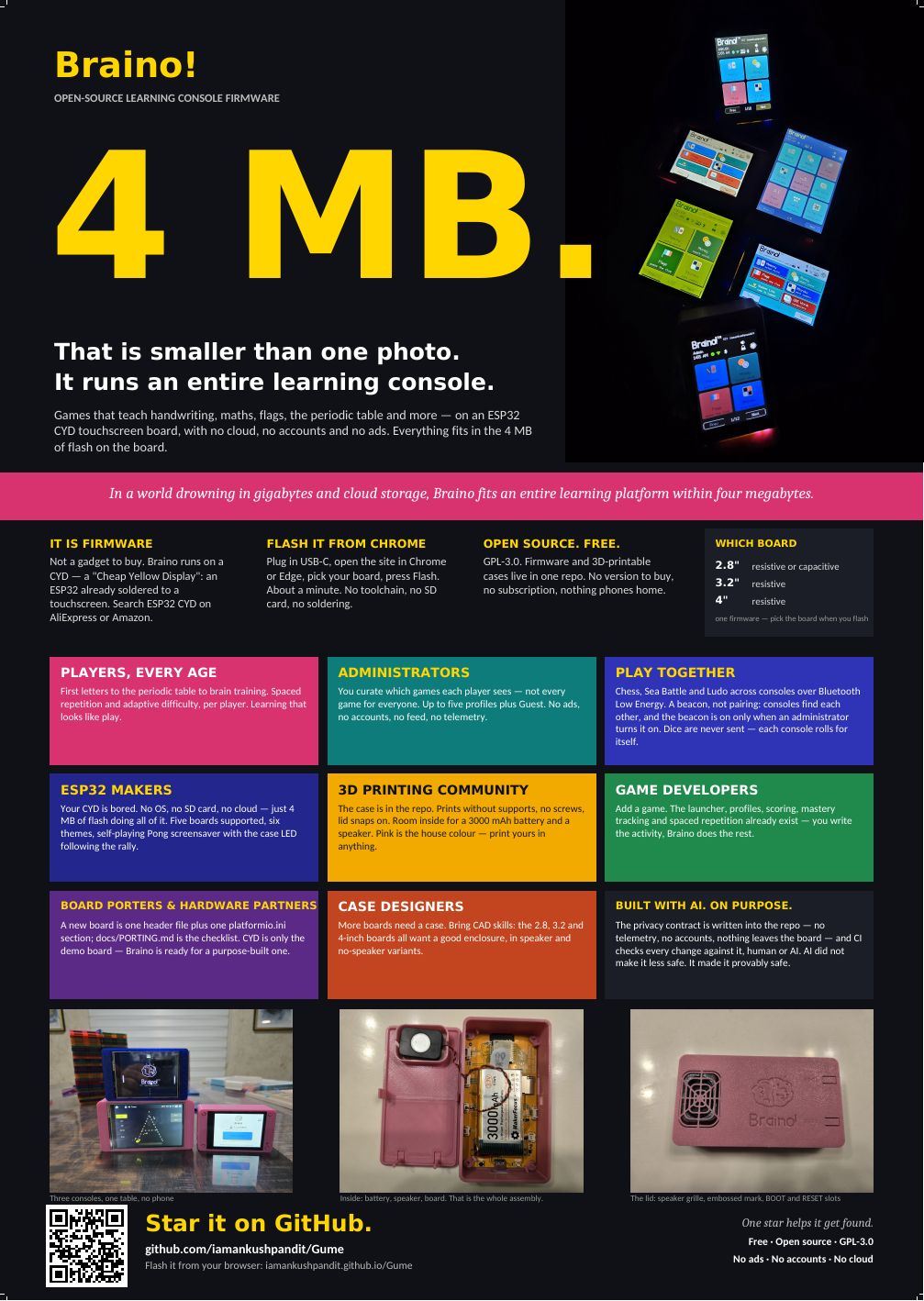
Take it to
a maker faire.
The A2 poster is print-ready, with bleed and crop marks, and the QR code goes straight to the repository. Pin it on a wall, a classroom door or a makerspace noticeboard.
Privacy.
What it sends, and why.
No accounts, no ads, no tracking. Players and scores stay on the console. It only goes online if you give it Wi-Fi — to set its clock and to check for updates — and its Bluetooth is off until you switch it on. Every exception is listed below, exactly.
Wi-Fi
Optional, and used for the clock: an NTP server, plus one lookup to ip-api.com to guess the time zone on first connect. A daily check asks whether a newer firmware exists, and that request says nothing whatsoever about this device. Skip Wi-Fi entirely and nothing else changes.
Bluetooth Low Energy
Off by default. Switched on, it advertises a device name and two bytes of the factory Bluetooth MAC — and the device shows you a hex dump of the exact bytes on air, read back from the same buffer that was handed to the radio.
Nearby
A second opt-in on top of that, also off by default. The beacon then additionally carries which game is open and the best score for it. No player name, no profile name, nothing profile-scoped: a peer is four hex digits of its own hardware id and nothing else.
Games between consoles
Each console advertises its latest move: a session number, a move number and two small numbers saying what was played. Dice are never sent. It is a broadcast — anyone in range hears the moves — and every move received is checked against the receiver's own board before it is played.
Poke
Rides the same beacon and adds no new kind of data: for a few seconds it carries the id being poked, which that console already broadcasts as its own name, and a counter. Every Braino in range hears it; only the one addressed reacts.
Local names for peers
Stay on the console that stored them. The administrator can label a tag they recognise so a poke says who rather than what; the beacon never reads that label, so what goes on air is identical whether every peer is named or none is.
Scores and profiles
Live in the ESP32's own flash and never leave it. There is no account to make, nothing to sign in to, and no way for anybody here to see how a player plays.
This page
Talks to your board over Web Serial, inside your browser; nothing about your device is sent anywhere. The firmware comes from GitHub Pages, and the Install button's code (esp-web-tools) from the unpkg CDN. Those two are the only requests this page makes on load — no analytics, no cookies, no fonts from anybody else.
Builders wanted.
The launcher, profiles, scoring, mastery tracking and spaced repetition already exist. You write the activity; Braino does the rest. Not sure yet? Open a discussion and think it through in the open.
Port a board.A new board is one header under include/boards and one section in platformio.ini. Nothing under src names a GPIO. PORTING.md is the checklist, and it starts by asking whether the board can run this at all.
Design a case.The 3.2-inch and 4-inch boards would love a good enclosure, in speaker and no-speaker variants. Print notes and fastener sizes are as valuable as the mesh.
Built with AI.
On purpose.
The privacy contract — no telemetry, no accounts, nothing leaves the board — is written into the repository, and CI checks every change against it, whoever or whatever wrote it. Bug reports and code critique are especially welcome: open an issue, and if you can, say how you would fix it.
Get in touch.
An issue is the best place for anything about the firmware — it is public, it is searchable, and the next person with the same board finds the answer. For everything else, any of these reaches a person.